- Home Page /
- Arts Crafts & Sewing /
- Beading & Jewelry Making /
- Engraving Machines & Tools /
- ATOMSTACK P1 5W Laser Engraver Dual, 5W Diode, 1.2W Inf...
0 ratings


Item #:
231944312
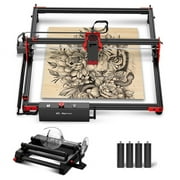
ATOMSTACK P1 5W Laser Engraver Dual, 5W Diode, 1.2W Infrared Laser, Unibody Laser Engraving Machine, 10000 mm/min, 5000mW Diode for Beginners DIY,
Item #:
231944312
UGX 1736482
Price Details
Excluding Shipping & Custom charges ( Shipping and custom charges will be calculated on checkout )
*All items will import from US
0 ratings
Write a review
In stock
 Imported from USA store
QTY:
Order now and get it around Tuesday, August 25
Secured transaction
Ubuy works hard to protect your security and privacy. Our advanced payment security system ensures confidentiality by encrypting your information during transmission using AES (Advanced Encryption Standards) and SSL (Secure Socket Layer) protocols. Your payment details are 100% secure as we do not share your payment details with third party sellers.
Our Top Logistics Partners


Unlock a trial version of the software for permanent use and edit settings for power, speed, number of passes, cutting order, and more.

Fast
Shipping

Free
Return*

Secure Packaging

100% Original Products

PCI DSS Compliance

ISO 27001 Certified


Note: Step Down Voltage Transformer required for using electronics products of US store (110-120). Recommended power converters Buy Now.


What Stands Out
Beginner-Friendly
Designed for novices, the ATOMSTACK P1 allows users to easily engrave and cut materials like wood, leather, and metal, making it perfect for DIY projects with minimal learning curve.
High Speed
With a speed of 10000 mm/min, this laser engraver ensures quick and efficient engraving and cutting, significantly reducing project time compared to traditional methods.
Versatile Materials
Capable of working with various materials such as wood, acrylic, and stone, the ATOMSTACK P1 offers unmatched versatility, making it an invaluable tool for creative projects and custom designs.
Product Details
| Country of Origin | This item will be imported from US |
| Item Weight | 0.5 lbs (230 grams) |
| What is in the box | ATOMSTACK P1 5W Laser... For more details, please check description/product details |
Who Should Buy?

-
DIY Enthusiasts
Perfect for hobbyists looking to create personalized items using wood, leather, and acrylic materials efficiently.
-
Beginners
Ideal for those new to laser engraving due to its user-friendly setup and operation, as well as safety features.
-
Small Business Owners
Suitable for entrepreneurs wanting to customize products like cups and stones, appealing to customers with personalized options.

-
Heavy Duty Users
Not suitable for professionals requiring high-capacity machines for extensive, industrial-grade engraving or cutting tasks.
Product Description
ATOMSTACK P1 5W Laser Engraver Dual, 5W Diode, 1.2W Infrared Laser, Unibody Laser Engraving Machine, 10000 mm/min, 5000mW Diode for Beginners DIY, Wood, Leather, Acrylic, Metal, Class 1 Safe
Have any Query? Chat with us
Related Searches
Customer Questions & Answers
-
Question:
What is ATOMSTACK LightBurn Software used for?
Answer: ATOMSTACK LightBurn Software is primarily used for controlling laser engraving machines and cutters. It provides users with a powerful platform to design, edit, and manage their engraving projects efficiently. With features like built-in design tools, the ability to import various file formats, and advanced engraving settings, it caters to both beginners and professionals in the laser engraving community. -
Question:
Which laser engraving machines are compatible with ATOMSTACK LightBurn Software?
Answer: ATOMSTACK LightBurn Software supports a wide range of diode laser engraving machines and cutters. It is designed to work seamlessly with both popular and niche brands, making it versatile for hobbyists and professionals alike. Additionally, its compatibility with various G-code instructions ensures smooth operation and excellent performance. -
Question:
How do I install ATOMSTACK LightBurn Software?
Answer: To install ATOMSTACK LightBurn Software, first, download the software from the official website or a trusted source. Once downloaded, run the installation file and follow the on-screen instructions to complete the setup. After installation, enter your G-Code License Key to unlock all features. This process is straightforward and user-friendly, making it accessible for individuals at all skill levels. -
Question:
What types of projects can I create using LightBurn Software?
Answer: Using ATOMSTACK LightBurn Software, you can create a variety of projects, including custom engravings, intricate designs, and even intricate cuts on materials like wood, acrylic, and leather. The software's robust design tools allow for creativity, making it suitable for crafting home decor, personalized gifts, or prototypes for projects in a professional setting. -
Question:
Can I use LightBurn Software without a G-Code License Key?
Answer: While ATOMSTACK LightBurn Software can be downloaded and installed without a G-Code License Key, the key is essential to unlock all the features and capabilities of the software. Without it, users may experience limitations that restrict their ability to fully utilize the software's advanced design and control tools tailored for laser engraving machines. -
Question:
Is there a trial version of ATOMSTACK LightBurn Software available?
Answer: Yes, ATOMSTACK offers a trial version of LightBurn Software that allows users to explore its features before committing to a purchase. This trial option enables potential buyers to familiarize themselves with the interface, functionalities, and tools available, ensuring it meets their engraving needs and expectations. It’s a great way to test out the software to see how it fits into your projects. -
Question:
What file formats does LightBurn Software support?
Answer: ATOMSTACK LightBurn Software supports various file formats including SVG, DXF, AI, and BMP, among others. This compatibility allows users to import designs from popular graphic design software or create new designs using its built-in tools. Having the flexibility to work with multiple file types facilitates a smoother workflow and enhances creative possibilities. -
Question:
How can I get support for LightBurn Software issues?
Answer: For support with ATOMSTACK LightBurn Software, users can access the official support page, which includes FAQs, user forums, and troubleshooting guides. Additionally, contacting their customer support team can help resolve specific issues or questions. This availability of comprehensive resources ensures users can efficiently find solutions to any challenges they may encounter. -
Question:
Can I use LightBurn Software for both engraving and cutting?
Answer: Absolutely! ATOMSTACK LightBurn Software is designed to handle both engraving and cutting tasks. Users can easily switch between modes, allowing for versatile project execution. Whether you're creating detailed engravings or precise cuts, the software enables customization and fine-tuning of each process, making it valuable for a variety of creative and industrial applications. -
Question:
Where can I buy ATOMSTACK LightBurn Software, G-Code License Key for Laser Engraving Machine in Uganda?
Answer: You can buy ATOMSTACK LightBurn Software, including the G-Code License Key for your laser engraving machine, through Ubuy. They offer a convenient platform for purchasing software products, ensuring proper delivery and support for users looking to enhance their laser engraving projects in Uganda.
ATOMSTACK Engraving Machines & Tools Editorial Review
No editorial reviews found
Customer Reviews & Ratings
1 customers ratings
-
5 Star
100%
-
4 Star
0%
-
3 Star
0%
-
2 Star
0%
-
1 Star
0%
Review this product
Share your thoughts with other customers
Pros
- High quality materials
- Stylish design
- Easy to use
- Excellent customer support
- Durable and long-lasting
Cons
- Slightly heavier than expected
Platform Trust & Buyer Confidence

MA
Mohammad
Verified buyer
“Excellent quality and original too,when ubuy send original things I will appreciate that ,I very satisfied thank you”
23 July 2026 · via Trustpilot
CK
Chitra
Verified buyer
“The order and delivery progress was communicated very well. Package arrived within the estimated time. Products arrived as expected in good condition.”
22-Jul-26 · via Trustpilot
K
kund
Verified buyer
“Good supply of products. Safe payment methods, and shipment worldwide! Genuine products.”
23-Jul-26 · via Trustpilot
OO
Onesi
Verified buyer
“Was my first time buying a product from Ubuy, but I found it so helpful. This is reliable. Gonna place a new order!”
22 July 2026 · via Trustpilot
SJ
SAO JOHN
Verified buyer
“Ubuy is a great online platform to buy stuff. Reliable, fast delivery time and great value for money. I've been using Ubuy online shopping platform for three years now and will continue to do so.”
23 July 2026 · via Trustpilot
Secure Checkout
Global Delivery
Easy Returns
Genuine Products
Related Categories
Related Brands
Top selling Laser Engraver in Uganda




Last Updated on August 2, 2026
Product Price History
Important information
- Limitations : For products shipped internationally, please note that any manufacturer warranty may not be valid; manufacturer service options may not be available; product manuals, instructions, and safety warnings may not be in destination country languages; the products (and accompanying materials) may not be designed in accordance with destination country standards, specifications, and labeling requirements; and the products may not conform to destination country voltage and other electrical standards (requiring use of an adapter or converter if appropriate). The recipient is responsible for assuring that the product can be lawfully imported to the destination country. When ordering from Ubuy or its affiliates, the recipient is the importer of record and must comply with all laws and regulations of the destination country.
- Not all the products listed on Ubuy are for sale, as Ubuy is a global search engine. Products are subject to export/trade regulations.
UGX 1736482
Order now and get it around Tuesday, August 25
This item is not restrict in my country.(Please click on above link if this item is not restrict in your country, So our team will review and allow.)
QTY:
Secured transaction
PCI DSS compliant and ISO 27001:2022 certified, with encrypted payments and full buyer protection on every order.
Our Top Logistics Partners
Fastest cross-border delivery
Features & Benefits
- Import graphics in popular formats
- Edit and create vector shapes
- Adjust settings for power, speed, and more
- Send results directly to laser cutter
- Available for Windows, Mac OS, and Linux
- Non-refundable GCode license keys with one year of updates
Ubuy Assurance
Experience worry-free shopping with 100% original products, PCI DSS-compliant payment security, ISO 27001-certified data protection, the fastest cross-border delivery, free returns *, and secure packaging on every order.